Cashkr Logo
iPhone 13
Mobile
  • Apple
  • Samsung
  • Google
  • OnePlus
Tablet
  • iPad
  • Samsung
  • Lenovo Tab
Laptop
  • Dell
  • HP
  • Lenovo
Mac
  • iMac
  • Mac Studio
  • Mac Mini
  • Macbook Pro
Watch
  • Apple
  • Samsung
  • Google
  • OnePlus
Camera
  • Canon
  • Nikon
  • Sony
  • GoPro
Headphone
  • Apple
  • Bose
  • Samsung
  • Nothing
Console
  • Sony
  • Microsoft
CorporateArticles
Cashkr app

Get the Cashkr app for faster payouts

Open app
Cashkr Logo

Popular Searches

  • Apple iPhone 13
  • iPad Pro 11-inch Wi-Fi 2020
  • OnePlus Pad Go LTE
  • Mac mini M1
  • MacBook Air M2
  • iMac Retina 5K 27-inch 2017
  • HP Victus
  • Dell Latitude
  • Lenovo Legion

Loading....

Cashkr logo

BIGBOLD TECHNOLOGIES PRIVATE LIMITED (operating as Cashkr) is a technology-driven device buyback company, with a belief that every gadget deserves a second life. Our aim is to build tech-enabled doorstep solutions that make selling old phones, laptops, tablets and MacBooks simple, transparent and rewarding for everyone.

Check if Cashkr is right for you?

Company

  • About Us
  • Corporate Buyback
  • Partner with us
  • Price Calculator
  • Refer & Earn
  • Guides
  • Careers

Services

  • Sell Old Phone
  • Sell Old Tablet / iPad
  • Sell Old Laptop
  • Sell Old MacBook

Help & Support

  • Sitemap
  • Contact Us
  • Support

Life at Cashkr

  • Explore With Cashkr
  • Cashkr News
  • Cashables
  • Coupons
Download on App StoreGet it on Google Play

Download Cashkr App to sell Phones, Laptops, Tablets and MacBooks

Indemnity FormPrivacy PolicyTerms of UseCookie PolicyReturn & Refund Policy

© 2026 BigBold Technologies Pvt Ltd , All Rights Reserved · CIN: U47912MH2025PTC447159 · Registered Under Govt. of India

** All trademarks, logos, and brand identities are the property of their respective owners. Any company names, logos, product names, and service names mentioned on this website are solely for identification purposes. The use of such trademarks, logos, and brand identities does not constitute or imply any endorsement.

  • Search Results
  • No Result Found
HomeArticles5 Tips to Sell Your Smartphone Safely With Cashkr
Buying & Upgrade Guides

5 Tips to Sell Your Smartphone Safely With Cashkr

Yaskar Jung ShahYaskar Jung ShahUpdated: Jul 27, 2026·8 min read
5 Tips to Sell Your Smartphone Safely With Cashkr

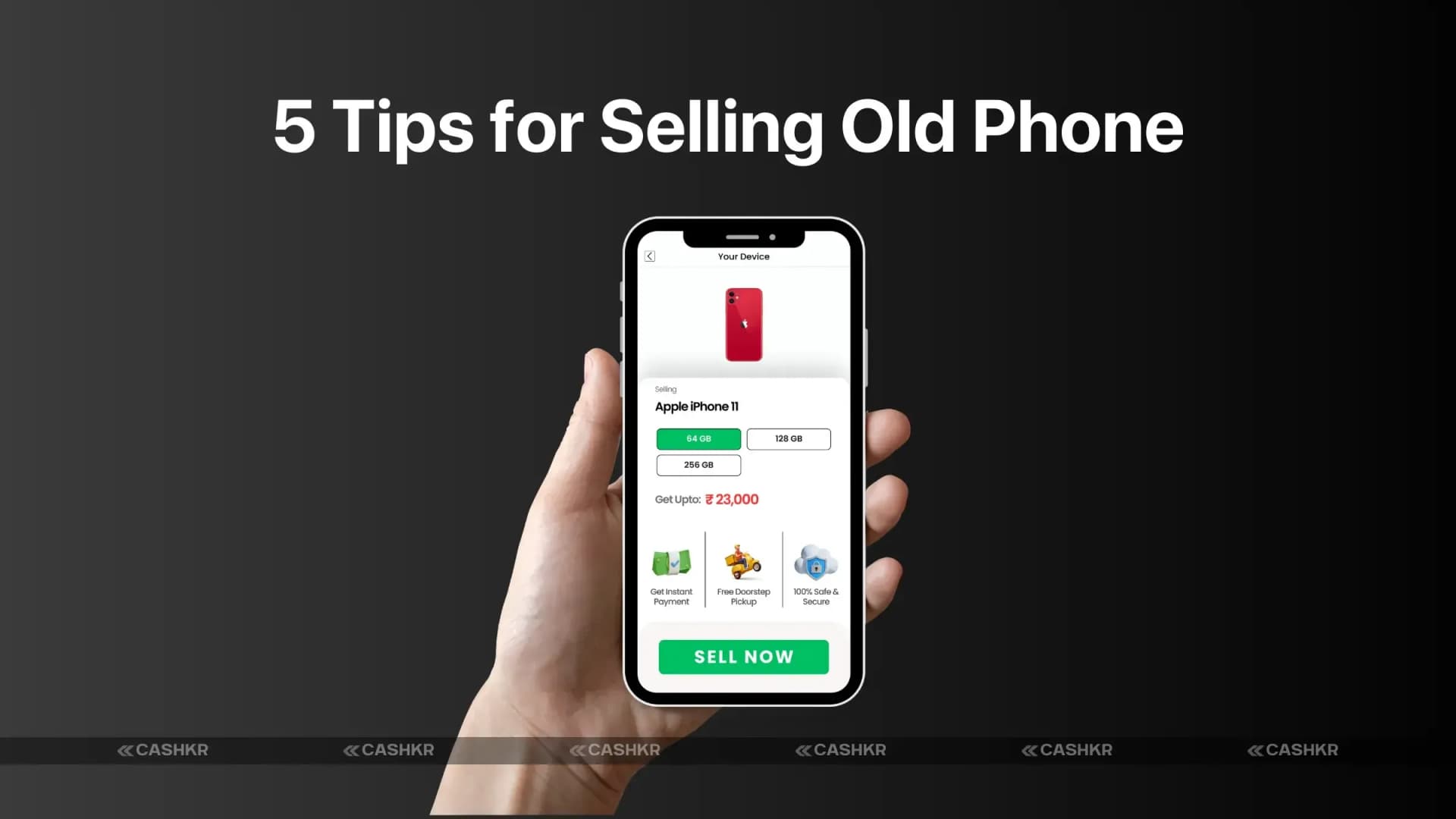
5 tips to sell your smartphone safely and securely with Cashkr

Follow Cashkr on Google
Add us as a preferred source to see our stories first in Search
Add as preferred source
    • Tip 1: Backup Your Phone
    • Importance of Backup Before Selling
    • How to Back Up Your Smartphone
    • Tip 2: Perform a Factory Reset
    • Why You Should Factory Reset Your Phone
    • Step-by-Step Guide to Performing a Factory Reset
    • Tip 3: Remove Your SIM and SD Card
    • The Risks of Leaving Your SIM and SD Card in Your Phone
    • How to Safely Remove Your SIM and SD Card
    • Tip 4: Meet Buyers Through Trusted Platforms
    • Why It's Essential to Use a Trusted Platform Like Cashkr
    • The Risks of Selling Directly to Strangers
    • How Cashkr Provides a Safe Selling Experience
    • Tip 5: Use Cashkr's Free Pickup for Convenience
    • Benefits of Using Cashkr's Free Pickup Service
    • How to Arrange Pickup Through Cashkr
    • Conclusion
    • FAQs

5 Tips for Selling Your Smartphone Safely

Selling your smartphone can be an exciting opportunity to upgrade to a new model or remove unused tech. However, before you hand over your old device to a new owner, ensuring your data remains secure is crucial. Smartphones contain sensitive information, including contacts, messages, passwords, and financial data. If you don't take the right steps, you could expose yourself to identity theft or scams.

But don't worry—by following a few simple tips, you can sell your smartphone safely and confidently. Let's dive into these essential steps to ensure your data and the selling process is protected and smooth.

Tip 1: Backup Your Phone

Importance of Backup Before Selling

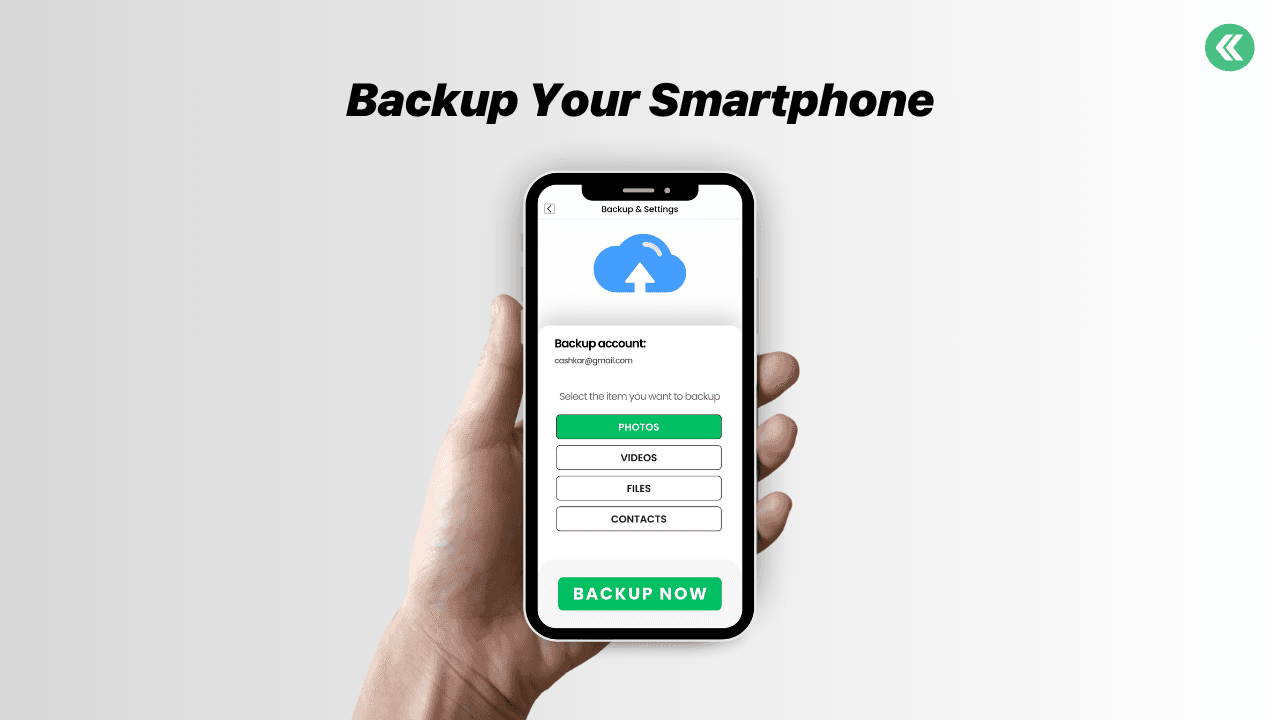
Before you even think about selling your phone, the first step is to back up your data. This ensures you don't lose important files, photos, contacts, or messages. Whether you're switching to a new device or want to keep your information safe, backing up your smartphone is an essential precaution.

Advertisement

How to Back Up Your Smartphone

  • For iPhones: You can back up your iPhone using iCloud or iTunes. iCloud is the easiest option, allowing you to back up your data wirelessly. Go to Settings > [your name] > iCloud > iCloud Backup, and tap "Back Up Now." If you prefer iTunes, connect your iPhone to your computer and follow the instructions to create a backup.
  • For Android Phones: Android devices offer Google Drive backup. Go to Settings > System > Backup, and toggle "Back up to Google Drive." You can manually select items you'd like to back up, such as apps, contacts, and photos.

Once your data is backed up, you can rest assured that no important information will be lost when you erase your device.
sell your smartphone safely

Also Read: iPhone 17e Geekbench Leak: Why the Scores Confuse Users

Tip 2: Perform a Factory Reset

Why You Should Factory Reset Your Phone

After backing up your data, the next step is to perform a factory reset. This is one of the most crucial steps in ensuring that your data is completely erased from your phone. A factory reset restores your phone to its original settings, erasing all data, apps, and preferences.

You're protecting yourself from data theft by performing a factory reset. Even if someone tries to access your phone later, they won't be able to recover your sensitive information if it's been properly wiped.

Step-by-Step Guide to Performing a Factory Reset

  • For iPhones: Go to Settings > General > Reset and tap "Erase All Content and Settings." You may be prompted to enter your Apple ID password to confirm.
  • For Android Phones: Go to Settings > System > Reset > Factory Data Reset. Confirm your choice, and your phone will begin the resetting process.

After the reset, your phone will be new, with all personal data erased.

Tip 3: Remove Your SIM and SD Card

The Risks of Leaving Your SIM and SD Card in Your Phone

Your SIM card contains valuable information about your phone number and carrier, while your SD card may hold pictures, music, and other data. It's crucial to remove both before selling your smartphone. Even if you've performed a factory reset, these storage devices can still hold sensitive information that could be used for malicious purposes.

How to Safely Remove Your SIM and SD Card

  • For iPhones: Use a SIM ejector tool to remove the SIM card tray from the side of your phone. iPhones don't typically have an SD card slot, but removing any physical cards is still important.
  • For Android Phones: Use the SIM ejector tool to remove the SIM and SD card from your phone's tray.

Keep your SIM and SD card safe, especially if you reuse them with your new device.

Tip 4: Meet Buyers Through Trusted Platforms

Why It's Essential to Use a Trusted Platform Like Cashkr

Always use a trusted platform to connect with buyers when selling your smartphone. Platforms like Cashkr provide a secure environment for both sellers and buyers, reducing the risk of scams. Meeting a buyer through an untrustworthy source—such as a random online ad or social media—can leave you vulnerable to fraud or theft.

The Risks of Selling Directly to Strangers

Selling your phone directly to a stranger can be a risky endeavor. You may encounter counterfeit money, avoid paying buyers, or face situations where the buyer doesn't follow through with the sale. Trusted platforms have safeguards in place to prevent these issues.

How Cashkr Provides a Safe Selling Experience

Cashkr is an excellent platform for selling your phone because it ensures transparency, security, and fair pricing. It also allows you to meet buyers in a trusted environment, minimizing the chances of encountering scammers.

Tip 5: Use Cashkr's Free Pickup for Convenience

Benefits of Using Cashkr's Free Pickup Service

The free pickup service is one of the most convenient features when selling your phone through Cashkr. Instead of arranging a meeting or worrying about shipping fees, Cashkr can pick up your phone directly from your location. This adds a layer of convenience, making the process hassle-free.

Cashkr Free Pickup Service

Also Read: Google Pixel 10a Launch Confirmed: Design, Offers & More

Mentioned here

Google Pixel 10a

Full specsSell yours

How to Arrange Pickup Through Cashkr

Log into Cashkr, list your phone, and select the option for free pickup. Cashkr will contact you to arrange a time for the pickup, and once the transaction is completed, you'll receive payment without ever having to leave your home.

Conclusion

Selling your smartphone safely doesn't have to be complicated, but it does require attention to detail. By following these five tips—backing up your phone, performing a factory reset, removing your SIM and SD card, meeting buyers through trusted platforms like Cashkr, and using Cashkr's free pickup service—you can protect your data and avoid common scams.

Remember, the safety of your data and the convenience of the process should always be your top priority when selling a smartphone.

FAQs

1. What happens if I forget to back up my phone before selling it?

If you forget to back up your phone, you risk losing important data, such as contacts, messages, photos, and apps. Always back up your phone before selling it to ensure you don't lose any important data.

2. How do I know if a buyer is trustworthy?

Using trusted platforms like Cashkr can help you find reliable buyers. These platforms have systems in place to ensure that buyers are legitimate and that transactions proceed smoothly.

3. Can I sell a phone with a cracked screen?

Yes, you can still sell a phone with a cracked screen, but it may lower the device's value. Be honest about the phone's condition when listing it for sale.

4. Is it necessary to use a platform like Cashkr to sell my phone?

While it's not strictly necessary, using a trusted platform like Cashkr significantly reduces the risks of selling your phone, such as scams or fraud.

5. How do I ensure my phone's data is completely erased?

Performing a factory reset is the best way to erase all data from your phone. You can also use additional data-erasing tools to ensure no information is recoverable.

If you want to sell your old devices, then click here.

Explain with :ChatGPTClaudePerplexityGoogle AIGrok
Recommended for you

Sell with Cashkr

Got an old phone lying around?

Cashkr buys used devices at a fair price with free doorstep pickup and same-day payment across 2,000+ pincodes. Get an upfront quote in seconds.

Sell Old Phone OnlineCheck your phone's value in seconds
Sell Old Laptop OnlineSell Old Tablet OnlineSell Old Mac Online
Buying & Upgrade Guides
Yaskar Jung Shah

Written by

Yaskar Jung Shah

Advertisement
Advertisement
In this article
    • Tip 1: Backup Your Phone
    • Importance of Backup Before Selling
    • How to Back Up Your Smartphone
    • Tip 2: Perform a Factory Reset
    • Why You Should Factory Reset Your Phone
    • Step-by-Step Guide to Performing a Factory Reset
    • Tip 3: Remove Your SIM and SD Card
    • The Risks of Leaving Your SIM and SD Card in Your Phone
    • How to Safely Remove Your SIM and SD Card
    • Tip 4: Meet Buyers Through Trusted Platforms
    • Why It's Essential to Use a Trusted Platform Like Cashkr
    • The Risks of Selling Directly to Strangers
    • How Cashkr Provides a Safe Selling Experience
    • Tip 5: Use Cashkr's Free Pickup for Convenience
    • Benefits of Using Cashkr's Free Pickup Service
    • How to Arrange Pickup Through Cashkr
    • Conclusion
    • FAQs

What's your device worth?

Free doorstep pickup and same-day payment across 2,000+ pincodes.

Sell PhoneSell LaptopSell TabletSell Mac
Advertisement

Stay in the loop

Weekly tech insights in your inbox. No spam, ever.

Follow Cashkr

Advertisement

Keep Reading

Upgrade Your Smartphone

Top Signs You Should Upgrade Your Smartphone Today | Cashkr

Upgrade your smartphone & easily sell your old phone on Cashkr for instant cash.

Buying & Upgrade Guides•Jun 24, 2025•By Yaskar Jung Shah
Sell Old Devices

Declutter & Sell Old Devices: Earn Cash with Cashkr Today

Sell old devices and declutter your space with Cashkr’s easy process.
Buying & Upgrade Guides•Jun 22, 2025•By Yaskar Jung Shah

Trending This Week

Most read →
01

OnePlus Mobile Price in India 2026: Full Price List & Specifications

Mobile Prices•9 hours ago
02

POCO HyperOS 4 Update Tracker: Check Android 17 Eligible Devices in India

Recent News•1 day ago
03

iQOO Mobile Price in India 2026: Full Price List & Specifications

Mobile Prices•8 hours ago
best time to sell old smartphone

Best Time to Sell Your Smartphone for Maximum Value

Learn the best time to sell old smartphone & boost resale with Cashkr.

Buying & Upgrade Guides•Jun 22, 2025•By Nirajan Bohara
Avoid Scams When Selling Your Old Smartphone

Avoid Scams When Selling Smartphones Online : Cashkr Tips

Avoid scams when you sell smartphones online securely with Cashkr.

Buying & Upgrade Guides•Jun 22, 2025•By Yaskar Jung Shah
iPhone Resale Value in India 2026

iPhone Resale Value in India 2026: How Much Is It Worth?

iPhone resale value India 2026 — know before you sell.
Buying & Upgrade Guides•Mar 23, 2026•By Yaskar Jung Shah
Selling Old Gadgets

Selling Old Gadgets Online: 5 Mistakes to Avoid

Learn the top mistakes to avoid when selling old gadgets online.

Buying & Upgrade Guides•Oct 14, 2025•By Yaskar Jung Shah
04

Honor Mobile Phone Price in India: Full Price List, Specifications

Mobile Prices•1 day ago
05

Motorola Mobile Price in India 2026: Full Price List & Specifications

Mobile Prices•1 day ago

Just Published

Browse all →
vivo T5e price in india

Vivo T5e Price in India: Specifications, Features, and Everything You Need to Know

Smartphone•6 hours ago
iphone 17 vs samsung galaxy s26 which flagship should you buy in 2026

iPhone 17 vs Samsung Galaxy S26: Which Flagship Phone Should You Buy in 2026?

Comparison•1 day ago
Google Mobile Phone Price in India

Google Mobile Phone Price in India 2026: Full List & Specifications

Mobile Prices•2 days ago
Infinix Mobile Price in India

Infinix Mobile Price in India 2026: Full List & Specifications

Mobile Prices•2 days ago
Lava Virat V1 5G Price in India

Lava Virat V1 5G Price in India: Budget 5G Smartphone Launched With 6,000mAh Battery

Smartphone•3 days ago

Explore More Topics

All ArticlesSmartphoneComparisonlaptopPrice & Value GuidesTech News & TrendsBuying & Upgrade GuidesRecent NewsHow ToReviewMobile Prices

Trending in Buying & Upgrade Guides

01Top Signs You Should Upgrade Your Smartphone Today | Cashkr02Declutter & Sell Old Devices: Earn Cash with Cashkr Today03Best Time to Sell Your Smartphone for Maximum Value04Avoid Scams When Selling Smartphones Online : Cashkr Tips05iPhone Resale Value in India 2026: How Much Is It Worth?

Latest

Vivo T5e Price in India: Specifications, Features, and Everything You Need to Know6 hours agoiQOO Mobile Price in India 2026: Full Price List & Specifications8 hours agoOnePlus Mobile Price in India 2026: Full Price List & Specifications9 hours agoHonor Mobile Phone Price in India: Full Price List, Specifications1 day agoiPhone 17 vs Samsung Galaxy S26: Which Flagship Phone Should You Buy in 2026?1 day ago

Topics

  • Smartphone206
  • Comparison37
  • laptop29
  • Price & Value Guides8
  • Tech News & Trends68
  • Buying & Upgrade Guides34

Quick Guides

Google Find My Device: How to Track Your Lost Android PhoneHow to Recycle Old Devices in India & Get PaidHow to Sell Refurbished Devices Online & Maximize ProfitPrepare Your Smartphone for Resale | Sell Smart with Cashkr
All guides →