Cashkr Logo
iPhone 13
Mobile
  • Apple
  • Samsung
  • Google
  • OnePlus
Tablet
  • iPad
  • Samsung
  • Lenovo Tab
Laptop
  • Dell
  • HP
  • Lenovo
Mac
  • iMac
  • Mac Studio
  • Mac Mini
  • Macbook Pro
Watch
  • Apple
  • Samsung
  • Google
  • OnePlus
Camera
  • Canon
  • Nikon
  • Sony
  • GoPro
Headphone
  • Apple
  • Bose
  • Samsung
  • Nothing
Console
  • Sony
  • Microsoft
CorporateArticles
Cashkr app

Get the Cashkr app for faster payouts

Open app
Cashkr Logo

Popular Searches

  • Apple iPhone 13
  • iPad Pro 11-inch Wi-Fi 2020
  • OnePlus Pad Go LTE
  • Mac mini M1
  • MacBook Air M2
  • iMac Retina 5K 27-inch 2017
  • HP Victus
  • Dell Latitude
  • Lenovo Legion

Loading....

Cashkr logo

BIGBOLD TECHNOLOGIES PRIVATE LIMITED (operating as Cashkr) is a technology-driven device buyback company, with a belief that every gadget deserves a second life. Our aim is to build tech-enabled doorstep solutions that make selling old phones, laptops, tablets and MacBooks simple, transparent and rewarding for everyone.

Check if Cashkr is right for you?

Company

  • About Us
  • Corporate Buyback
  • Partner with us
  • Price Calculator
  • Refer & Earn
  • Guides
  • Careers

Services

  • Sell Old Phone
  • Sell Old Tablet / iPad
  • Sell Old Laptop
  • Sell Old MacBook

Help & Support

  • Sitemap
  • Contact Us
  • Support

Life at Cashkr

  • Explore With Cashkr
  • Cashkr News
  • Cashables
  • Coupons
Download on App StoreGet it on Google Play

Download Cashkr App to sell Phones, Laptops, Tablets and MacBooks

Indemnity FormPrivacy PolicyTerms of UseCookie PolicyReturn & Refund Policy

© 2026 BigBold Technologies Pvt Ltd , All Rights Reserved · CIN: U47912MH2025PTC447159 · Registered Under Govt. of India

** All trademarks, logos, and brand identities are the property of their respective owners. Any company names, logos, product names, and service names mentioned on this website are solely for identification purposes. The use of such trademarks, logos, and brand identities does not constitute or imply any endorsement.

  • Search Results
  • No Result Found
HomeArticlesPrepare Your Smartphone for Resale | Sell Smart with Cashkr
How To

Prepare Your Smartphone for Resale | Sell Smart with Cashkr

Yaskar Jung ShahYaskar Jung ShahUpdated: Jul 27, 2026·6 min read
Prepare Your Smartphone for Resale | Sell Smart with Cashkr

Prepare smartphones for resale & sell old phones easily with Cashkr.

Follow Cashkr on Google
Add us as a preferred source to see our stories first in Search
Add as preferred source
    • Why Preparing Your Smartphone Matters
    • Step 1: Back Up Your Data
    • Step 2: Perform a Factory Reset
    • Step 3: Clean the Device Thoroughly
    • Step 4: Remove SIM and SD Cards
    • Step 5: Repair Minor Damages (If Possible)
    • Step 6: Add a Screen Protector and Case
    • Step 7: Gather the Original Box and Accessories
    • Step 8: Take High-Quality Photos of Your Phone
    • Step 9: Research Pricing for Your Phone Model
    • Step 10: List Your Phone on Trusted Platforms
    • Why Sell Your Phone with Cashkr?
    • Conclusion
    • FAQs

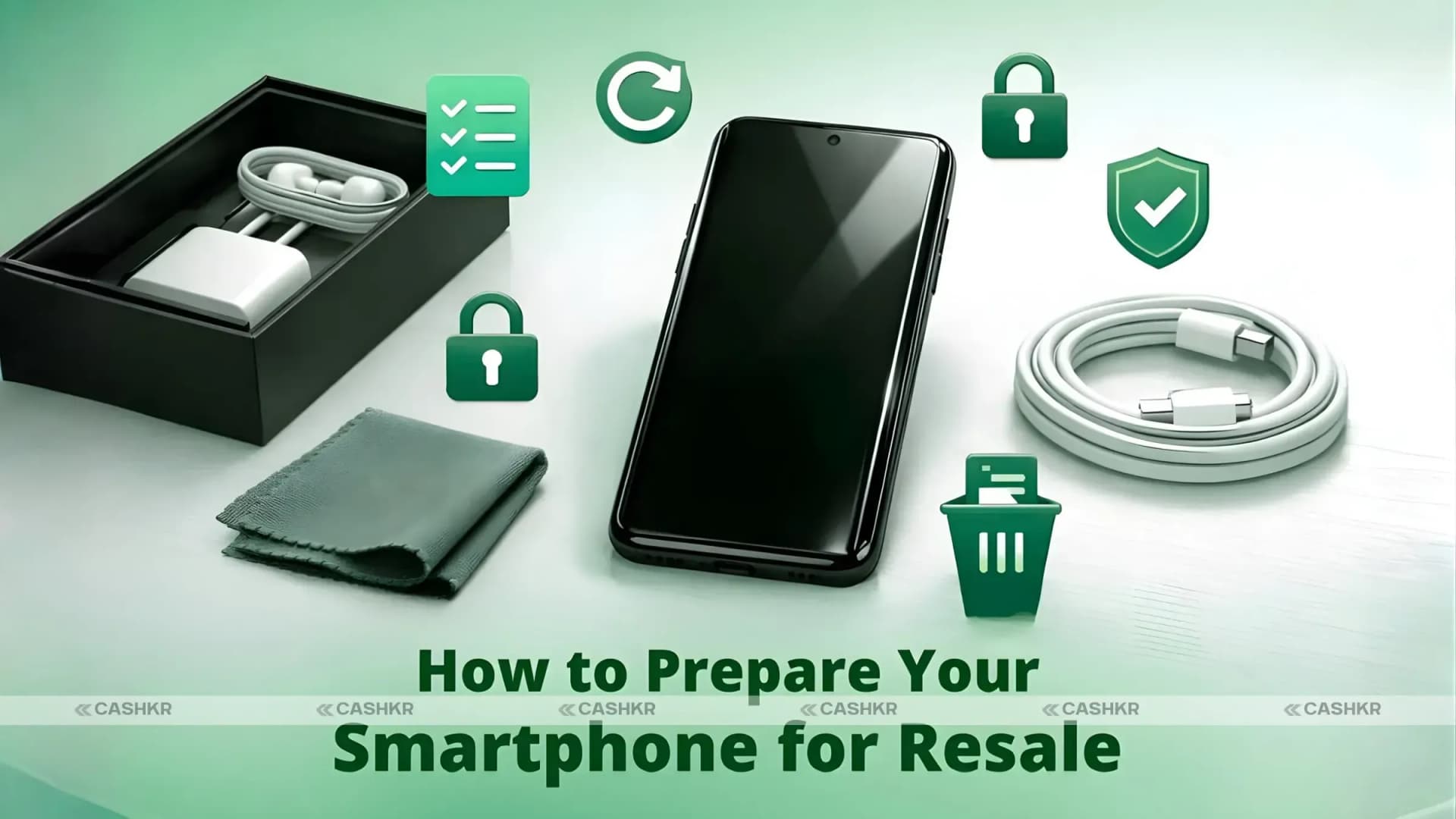
How to Prepare Your Smartphone for Resale

In today’s tech-savvy world, selling your smartphone when you’re ready to upgrade is a great way to make extra money. But to get the best price, you must prepare your device so buyers see it as valuable and trustworthy. The better the condition, the more likely you’ll attract buyers willing to pay top dollar. Here are ten straightforward steps to get your smartphone resale-ready—and why using a trusted platform like Cashkr can make the whole process seamless.

Why Preparing Your Smartphone Matters

Selling a smartphone is more than just wiping the screen and hoping for the best. Proper preparation increases your phone’s value and ensures your data is secure. When you take the time to prepare, you can confidently list your phone, knowing it’s in top shape.

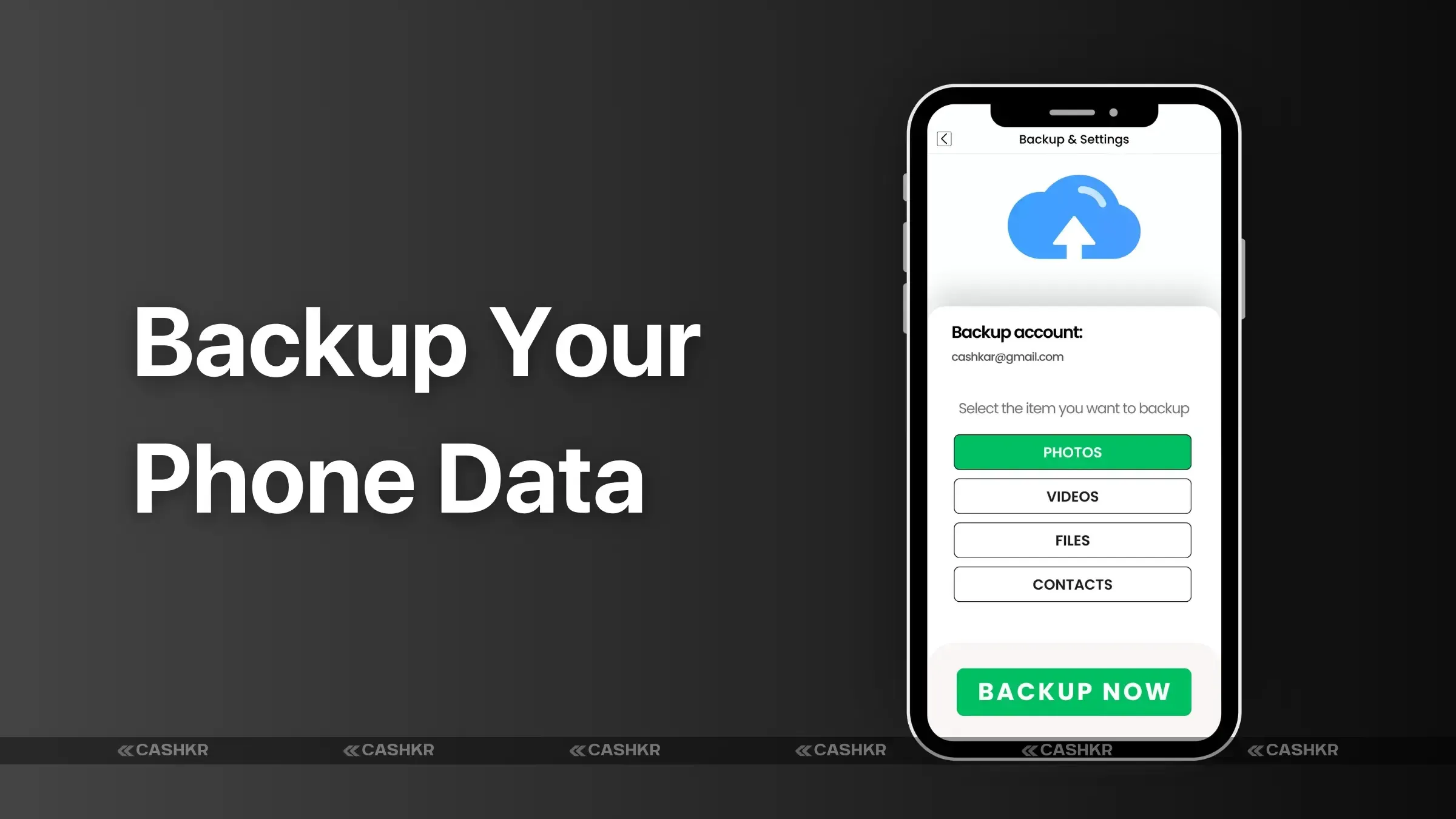
Step 1: Back Up Your Data

First, backup your data so you don’t lose any important photos, contacts, or apps when you reset your phone. Use cloud services like Google Drive, iCloud, or OneDrive, or transfer your data directly to your new device if possible.
Advertisement
Backup Phone Data

Also Read: How to Recycle Old Devices in India & Get Paid

Step 2: Perform a Factory Reset

This step is crucial. A factory reset removes all your data, protecting your privacy and giving the buyer a fresh start. Go to your settings, locate the "Reset" option, and choose "Factory Data Reset." Ensure you backup your data first, as this step permanently erases everything on the phone.

Step 3: Clean the Device Thoroughly

A clean phone makes a great first impression. Use a soft cloth to wipe down the screen, back, and sides, removing dust, smudges, or fingerprints. Avoid harsh chemicals; a small amount of alcohol-based cleaner on a microfiber cloth works well.

Step 4: Remove SIM and SD Cards

Before handing over your phone, remove the SIM and SD cards to protect your data. These cards contain sensitive information, so keep them safe after removal.

Step 5: Repair Minor Damages (If Possible)

Small scratches or cracks can deter buyers. If your phone has minor damage, consider repairing it yourself or taking it to a professional. A screen replacement or repair can significantly affect how much you’ll get for your device.

Step 6: Add a Screen Protector and Case

Even after cleaning and repairing, add a screen protector and a basic case for extra protection. This small investment demonstrates to buyers that you’ve taken care of the device, helping to prevent last-minute damage before the sale.

Step 7: Gather the Original Box and Accessories

Buyers love the complete package. If you still have the original box, charger, headphones, or other accessories, include them with the phone. Clean and organize these items, as they can increase your device’s appeal and value.
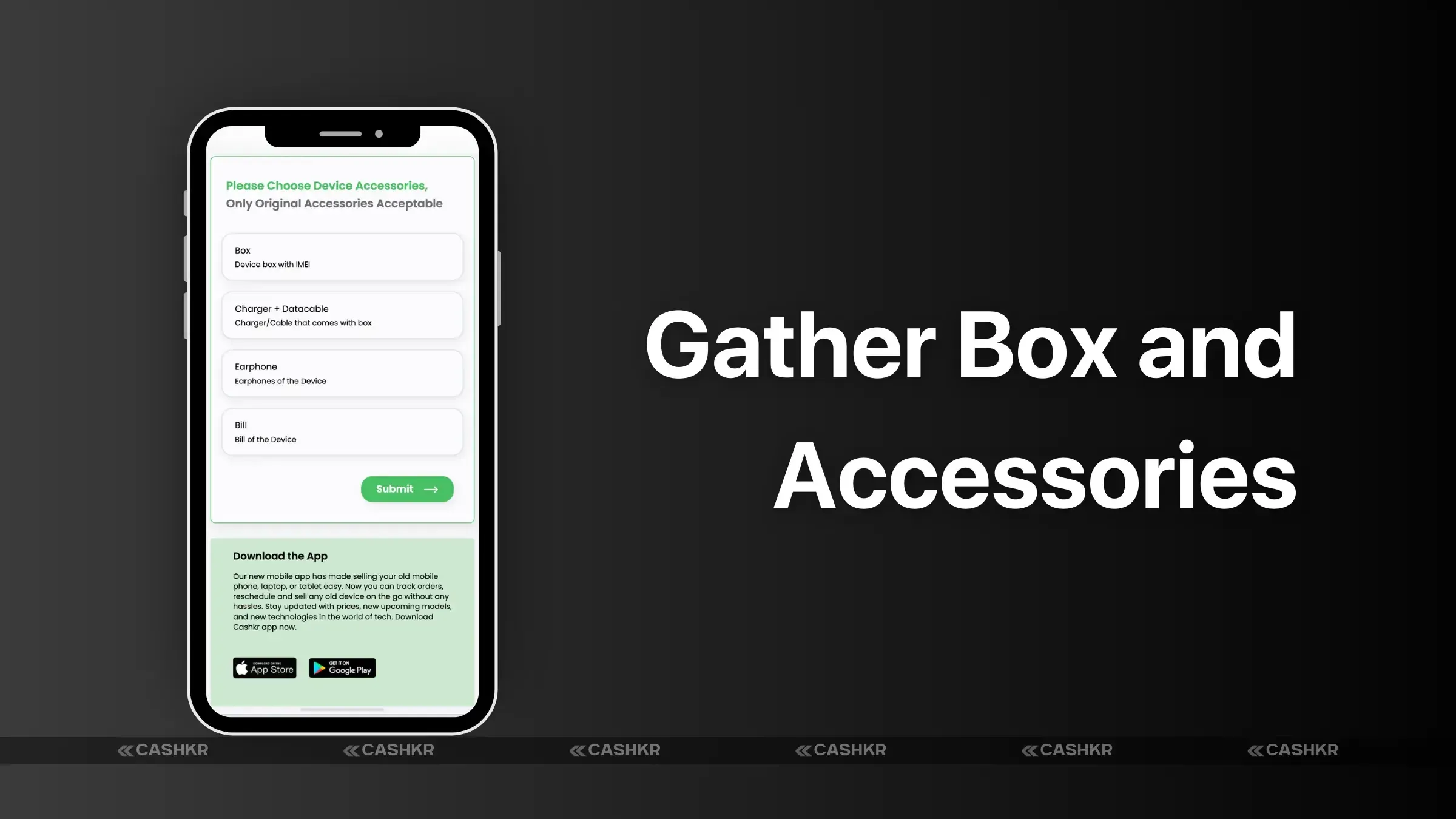
Gather Box and Accessories

Step 8: Take High-Quality Photos of Your Phone

High-quality photos make your listing stand out. Capture the device from various angles, highlighting its good condition. Good lighting and a neutral background make a big difference, giving potential buyers confidence in the quality of your device.

Step 9: Research Pricing for Your Phone Model

Take some time to research prices for your specific model. Look at comparable listings on various platforms to understand the going rate. For a hassle-free pricing guide, consider using Cashkr, which offers reliable estimates and helps determine a fair selling price.

Step 10: List Your Phone on Trusted Platforms

A trustworthy platform like Cashkr ensures your selling experience is secure and straightforward. Write an honest and appealing description of your phone, mentioning any features, accessories, or repairs. Cashkr’s user-friendly platform connects you with interested buyers and helps you get the best price.

Why Sell Your Phone with Cashkr?

Cashkr is a trusted marketplace designed to make selling your smartphone simple and secure. With Cashkr, you can:

  • Get fair price estimates based on your phone’s condition and model.
  • Enjoy a secure selling environment without the hassle of dealing with untrustworthy buyers.
  • Benefit from quick transactions and receive your payment promptly.

Conclusion

Preparing your smartphone for resale doesn’t have to be complicated. Following these steps will maximize your phone’s value and make it appealing to buyers. Remember to backup your data, reset the device, clean it, and consider selling with a trusted platform like Cashkr. With a little effort, you can transform your old device into a valuable asset for the next user.

FAQs

1.  Why should I factory reset my phone before selling it?

Performing a factory reset removes all personal data, ensures privacy, and makes the phone ready for the new owner.

2. Does including accessories increase my phone’s resale value?

Yes, including the original box, charger, and accessories can boost your phone’s resale value, as buyers see it as a complete package.

3. Should I repair minor scratches before selling my phone?

Minor repairs can increase your phone’s value and make it more appealing. However, only invest in repairs if the cost doesn’t outweigh the price boost.

4. How does Cashkr make the selling process easier?

Cashkr provides fair price estimates and a secure selling environment and connects you with reliable buyers, making the entire process seamless.

5. What’s the best way to take photos for my phone listing?

Use good lighting, capture all angles, and use a clean, neutral background to make your photos professional and appealing.

If you want to sell your old devices then, click here.

Explain with :ChatGPTClaudePerplexityGoogle AIGrok
Recommended for you

Sell with Cashkr

Got an old phone lying around?

Cashkr buys used devices at a fair price with free doorstep pickup and same-day payment across 2,000+ pincodes. Get an upfront quote in seconds.

Sell Old Phone OnlineCheck your phone's value in seconds
Sell Old Laptop OnlineSell Old Tablet OnlineSell Old Mac Online
How To
Yaskar Jung Shah

Written by

Yaskar Jung Shah

Advertisement
Advertisement
In this article
    • Why Preparing Your Smartphone Matters
    • Step 1: Back Up Your Data
    • Step 2: Perform a Factory Reset
    • Step 3: Clean the Device Thoroughly
    • Step 4: Remove SIM and SD Cards
    • Step 5: Repair Minor Damages (If Possible)
    • Step 6: Add a Screen Protector and Case
    • Step 7: Gather the Original Box and Accessories
    • Step 8: Take High-Quality Photos of Your Phone
    • Step 9: Research Pricing for Your Phone Model
    • Step 10: List Your Phone on Trusted Platforms
    • Why Sell Your Phone with Cashkr?
    • Conclusion
    • FAQs

What's your device worth?

Free doorstep pickup and same-day payment across 2,000+ pincodes.

Sell PhoneSell LaptopSell TabletSell Mac
Advertisement

Stay in the loop

Weekly tech insights in your inbox. No spam, ever.

Follow Cashkr

Advertisement

Keep Reading

Google Find My Device

Google Find My Device: How to Track Your Lost Android Phone

Google Find My Device guide, locate your phone in minutes.
How To•Mar 25, 2026•By Yaskar Jung Shah
Recycle Old Electronics

How to Recycle Old Devices in India & Get Paid

Recycle old devices in India and earn instant cash today
How To•Sep 22, 2025•By Yaskar Jung Shah

Trending This Week

Most read →
01

OnePlus Mobile Price in India 2026: Full Price List & Specifications

Mobile Prices•9 hours ago
02

POCO HyperOS 4 Update Tracker: Check Android 17 Eligible Devices in India

Recent News•1 day ago
03

iQOO Mobile Price in India 2026: Full Price List & Specifications

Mobile Prices•9 hours ago
Sell Refurbished Devices

How to Sell Refurbished Devices Online & Maximize Profit

Learn how to sell refurbished devices online and maximize profit.
How To•Oct 30, 2025•By Yaskar Jung Shah
Circular Economy

How Selling Phones Supports the Circular Economy | Cashkr

Support the circular economy by selling old phones on Cashkr today.
How To•Jun 23, 2025•By Yaskar Jung Shah
Reduce E-Waste

How Old Devices Contribute to E-Waste | Sell with Cashkr

Reduce e-waste by selling old devices through Cashkr’s eco-friendly process.
How To•Jun 23, 2025•By Yaskar Jung Shah
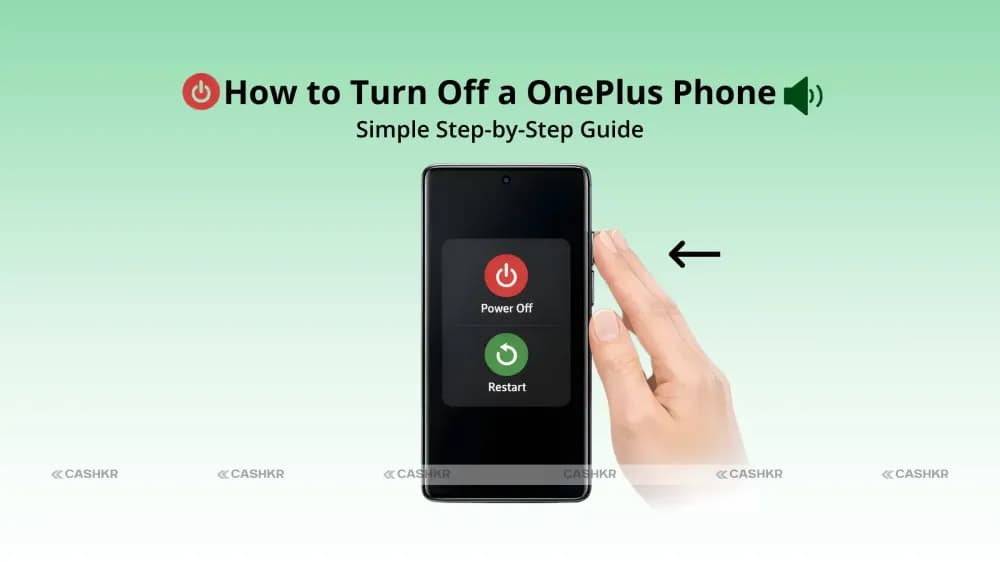
Turn Off a OnePlus Phone

How to Turn Off a OnePlus Phone: Easy Step-by-Step Guide

Learn how to Turn Off a OnePlus Phone with this simple

How To•Feb 2, 2026•By Yaskar Jung Shah
04

Honor Mobile Phone Price in India: Full Price List, Specifications

Mobile Prices•1 day ago
05

Motorola Mobile Price in India 2026: Full Price List & Specifications

Mobile Prices•1 day ago

Just Published

Browse all →
vivo T5e price in india

Vivo T5e Price in India: Specifications, Features, and Everything You Need to Know

Smartphone•6 hours ago
iphone 17 vs samsung galaxy s26 which flagship should you buy in 2026

iPhone 17 vs Samsung Galaxy S26: Which Flagship Phone Should You Buy in 2026?

Comparison•1 day ago
Google Mobile Phone Price in India

Google Mobile Phone Price in India 2026: Full List & Specifications

Mobile Prices•2 days ago
Infinix Mobile Price in India

Infinix Mobile Price in India 2026: Full List & Specifications

Mobile Prices•2 days ago
Lava Virat V1 5G Price in India

Lava Virat V1 5G Price in India: Budget 5G Smartphone Launched With 6,000mAh Battery

Smartphone•3 days ago

Explore More Topics

All ArticlesSmartphoneComparisonlaptopPrice & Value GuidesTech News & TrendsBuying & Upgrade GuidesRecent NewsHow ToReviewMobile Prices

Trending in How To

01Google Find My Device: How to Track Your Lost Android Phone02How to Recycle Old Devices in India & Get Paid03How to Sell Refurbished Devices Online & Maximize Profit04How Selling Phones Supports the Circular Economy | Cashkr05How Old Devices Contribute to E-Waste | Sell with Cashkr

Latest

Vivo T5e Price in India: Specifications, Features, and Everything You Need to Know6 hours agoiQOO Mobile Price in India 2026: Full Price List & Specifications9 hours agoOnePlus Mobile Price in India 2026: Full Price List & Specifications9 hours agoHonor Mobile Phone Price in India: Full Price List, Specifications1 day agoiPhone 17 vs Samsung Galaxy S26: Which Flagship Phone Should You Buy in 2026?1 day ago

Topics

  • Smartphone206
  • Comparison37
  • laptop29
  • Price & Value Guides8
  • Tech News & Trends68
  • Buying & Upgrade Guides34

Quick Guides

Google Find My Device: How to Track Your Lost Android PhoneHow to Recycle Old Devices in India & Get PaidHow to Sell Refurbished Devices Online & Maximize ProfitHow Selling Phones Supports the Circular Economy | Cashkr
All guides →